
Send the greeting on time, without relying on memory
This Chrome extension shows today's holiday and reminds you of client birthdays in advance. The greeting and the card are already prepared — you just send them.
Free, no account needed. Works in Chrome, Edge, Opera, Vivaldi and other Chromium browsers.
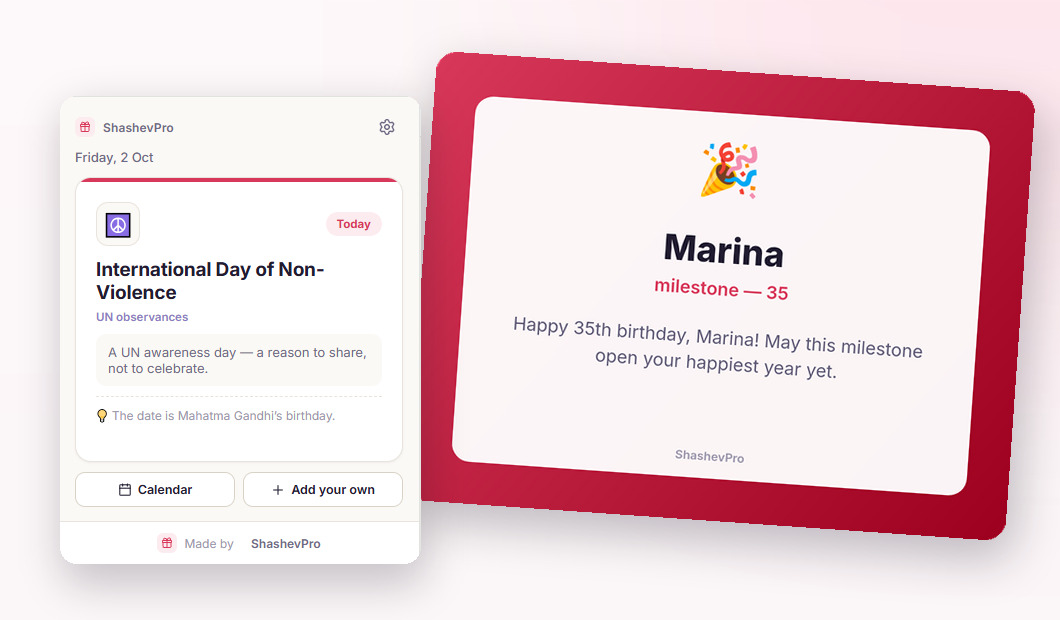
What the extension does
The badge in the corner counts down to the next date. When it arrives, you open it and send a greeting in half a minute.
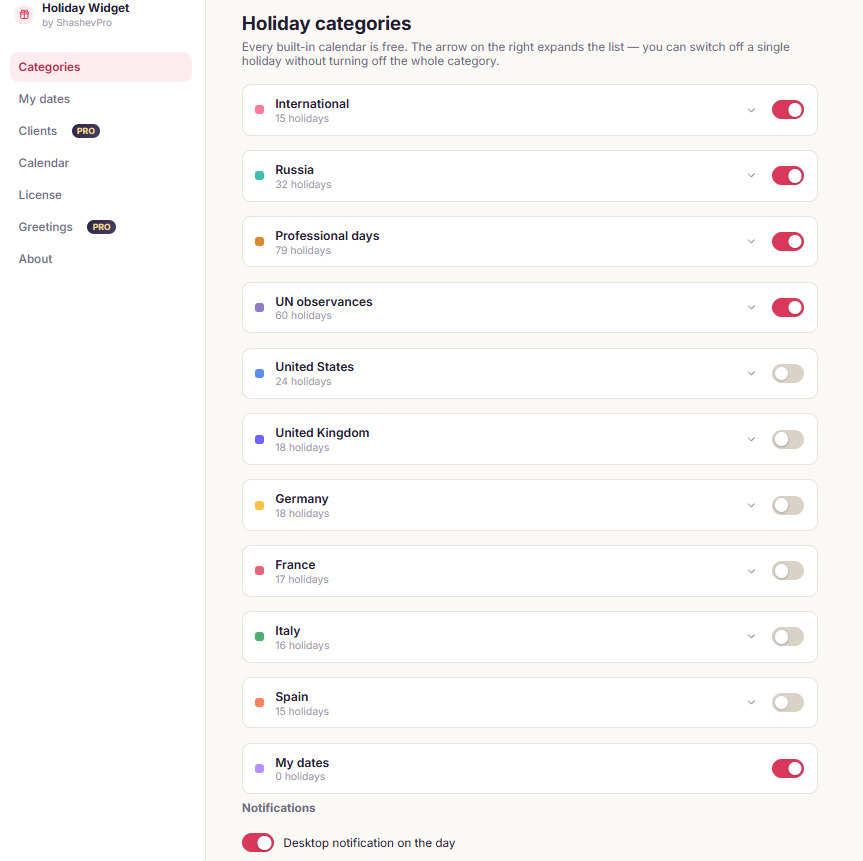
Nearly 300 holidays across ten calendars
International, Russian, professional days, UN observances and six national calendars. All free — there is now a holiday on almost every other day of the year.
- Professional days: accountants, hairdressers, programmers and some seventy more
- Days of remembrance are marked — no greetings are suggested
- Switch off a single holiday without turning off the whole calendar
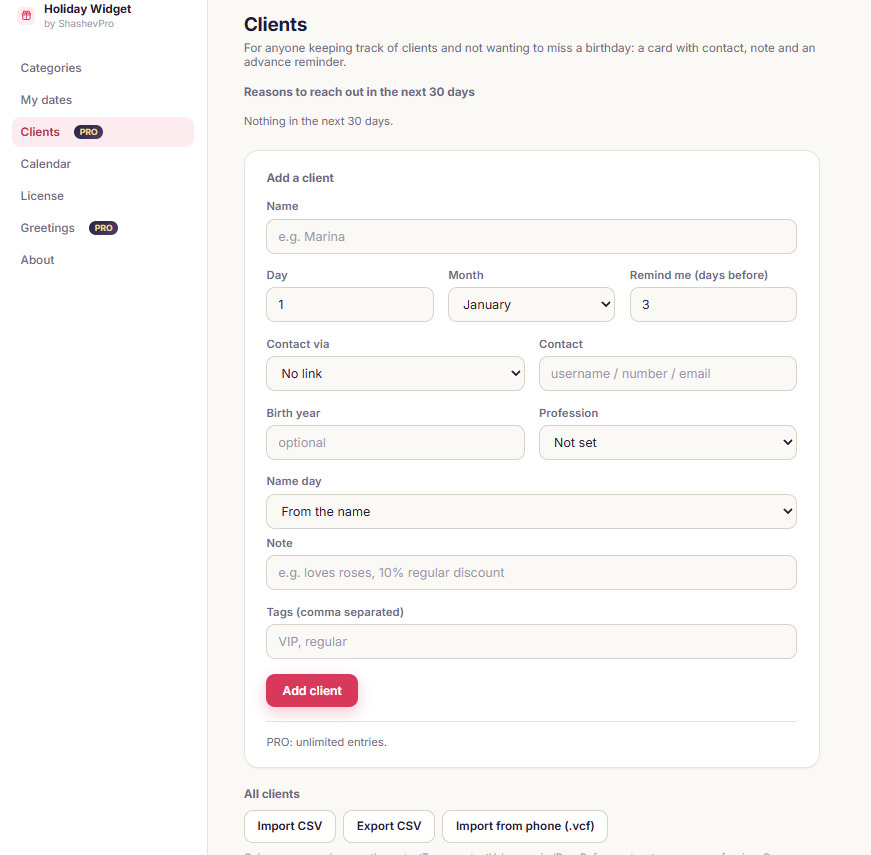
Three reasons to greet a client instead of one
Birthday, name day and professional day. For anyone with more clients than fits in their head: a hairdresser, a photographer, an accountant, a manager.
- Milestone birthdays are flagged early, and the greeting knows the age
- Name days come from the name, professions from a list of 49
- Notifications with a Message button: the text is copied and the chat opens
- Bring contacts over from your phone (.vcf) or Excel (CSV)
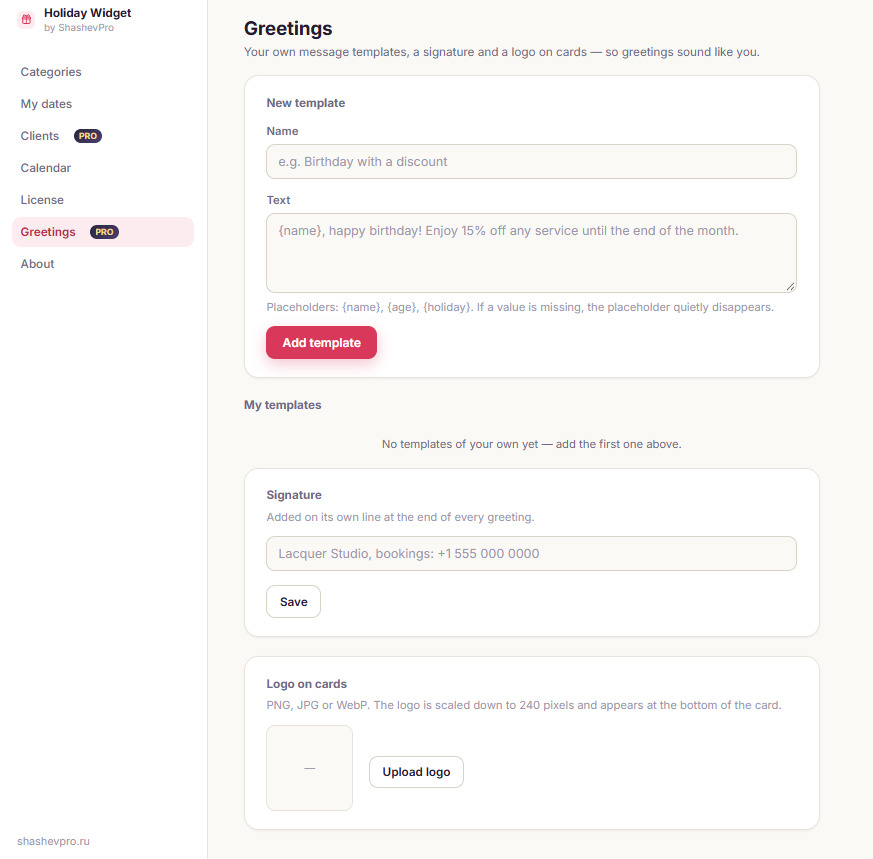
Greetings in your own voice
Your own templates with the client’s name and age, a signature and your logo on every card.
- Placeholders {name}, {age}, {holiday} with a live preview
- A signature with your contacts is added to every greeting
- Four ready-made tones: warm, formal, short and playful
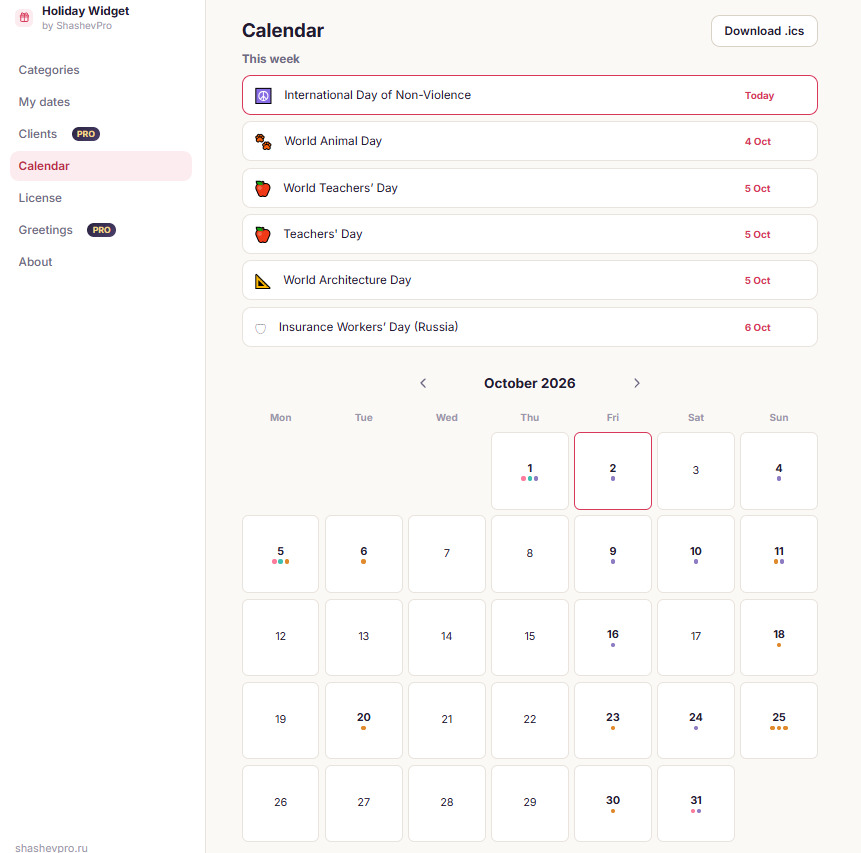
The month and the week ahead
A calendar with coloured markers, a week-ahead digest in the extension and as a Monday notification.
- Export holidays to Google Calendar or Outlook
- A notification on the day, and one for each client
- The badge counts down the days to the next date
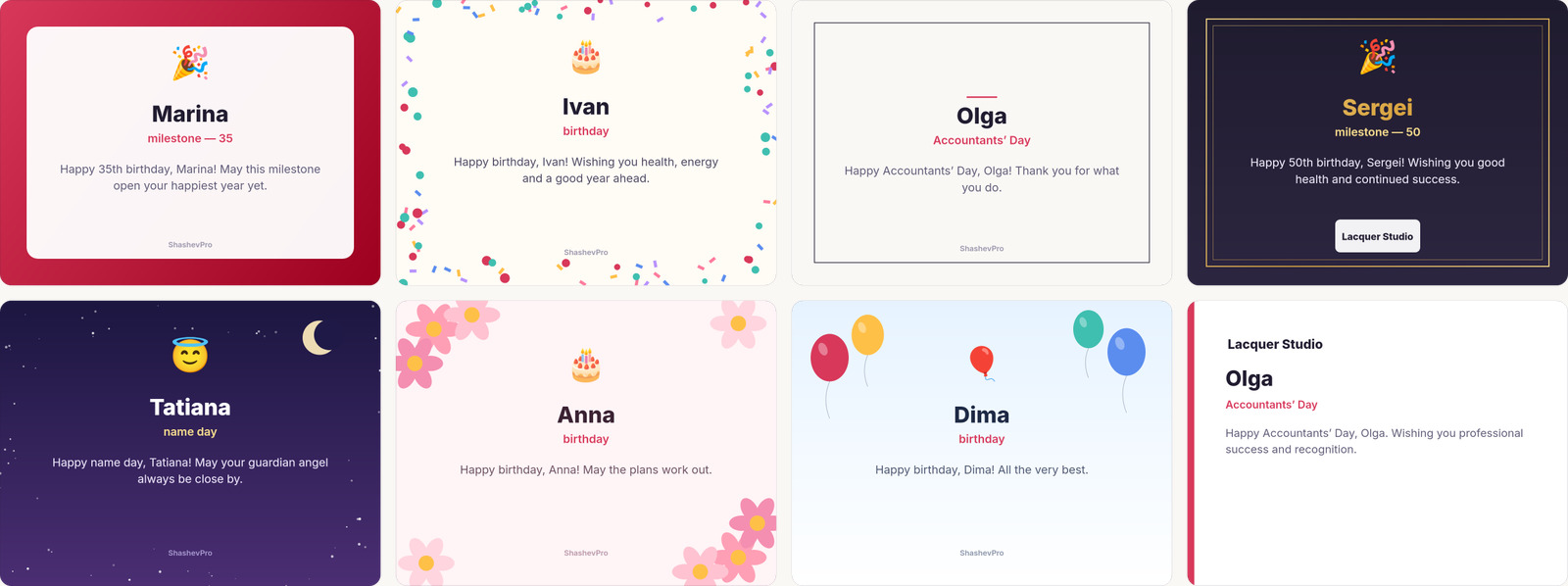
Eight card designs
The card is drawn right in your browser, as a post or a story. Your studio’s logo appears at the bottom.
Pricing
Holidays and greetings are free forever. PRO is for people who keep track of clients.
Free
- Nearly 300 holidays across ten calendars
- Countdown badge and notifications
- Month view and week-ahead digest
- Greeting texts and card preview
- Up to three dates of your own
PRO
- Clients: birthday, name day, professional day, milestones
- Import contacts from your phone (.vcf)
- Your own greeting templates, signature and logo on cards
- CSV import and export
- Calendar export (.ics)
- Card download in two formats
- No limit on your own entries
- One key works on three browsers
Card payment via YooKassa, the receipt arrives by email. The licence never expires: updates do not revoke it.
What happens to your data
The extension does not read the pages you open and does not ask you to register. Holidays, clients and settings stay in your browser.
The only network request is the licence key check, and only if you enter one. The free version makes no network requests at all.
At purchase, your email is used for the receipt required by Russian law: it goes to YooKassa and is erased from our database once the key has been sent.
Privacy policy — the full text of what is stored and where.
Questions
Why are there no greetings for some days?
Days of remembrance and UN awareness days about illnesses are marked separately. The extension shows them but does not suggest a greeting — that would be inappropriate.
Where do name days come from?
From the Orthodox calendar, which is the tradition in Russia. For forty common Russian names the date is filled in automatically; for others you can set it yourself or switch the reminder off.
Does it work in Edge or Opera?
Yes. It installs from the Chrome Web Store and works in every Chromium browser: Edge, Opera, Vivaldi, Yandex Browser.
What happens to my clients if I stop paying?
There is nothing to stop paying — it is a one-time purchase, not a subscription. Your data stays in the browser either way: even in the free version nothing is deleted, entries above the limit simply stop being shown.
I reinstalled Windows and lost the key
The key is in the email you received after the purchase, and it can be activated again. If all three slots are taken by old installations, write to support and we will free them.
Can I move my data to another computer?
Yes: settings, your dates and clients export to a file and import back — My dates → Backup. Clients also export separately as CSV.
My country's holidays are missing
You can add any date yourself on the My dates tab. And if a whole calendar is missing, write and tell me which country — I will add it in the next version.