DocLite PDF
A document workspace right inside your browser
Merge, split and compress PDFs, convert to Word or Excel, sign and stamp, password-protect, rearrange pages, recognize text on a scan. One window, no sign-up, and no uploading your documents to somebody else's server.
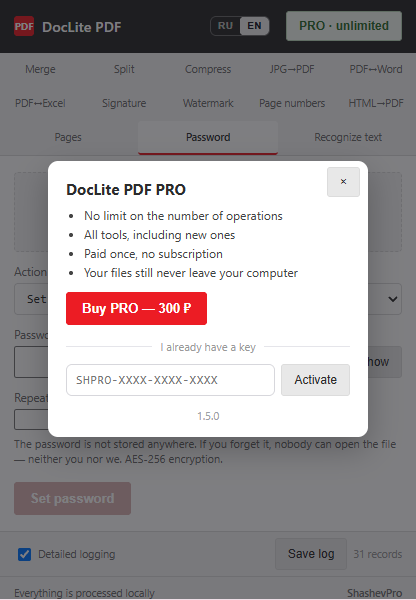
Free: three operations a day, every tool unlocked. PRO — 300 ₽, paid once.
What it does
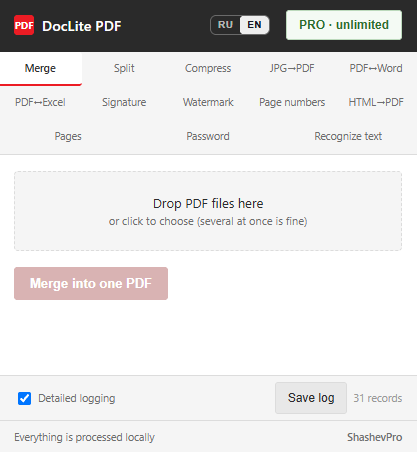
- Merge
- Several files into one; set the order by dragging or with arrows
- Split
- By page or by range, delivered as a single archive
- Compress
- Brings the size down for email; large files compress in the background
- JPG → PDF
- Photos and scans into one document, in the order you choose
- PDF ↔ Word
- Paragraphs, bordered tables, images and formatting stay in place
- PDF ↔ Excel
- Tables with borders and merged cells; amounts and dates as real values
- Signature & stamps
- Signature, stamp, a “True copy” certification — on one page or all
- Watermark
- Text or image; several files at once
- Page numbers
- Any corner, any starting number; several files at once
- HTML → PDF
- Save a web page or your own HTML as a document
- Pages
- Page thumbnails: reorder, rotate, delete
- Password
- Add or remove a PDF password, AES-256 encryption
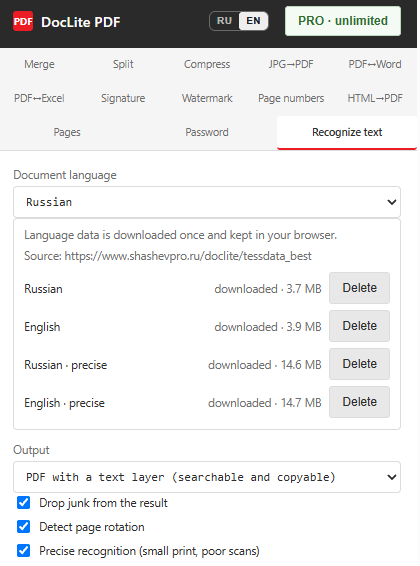
- Recognize text
- A scan or photo into a searchable PDF or Word; a precise mode too
New in version 1.5
- Pages
- A dedicated tab with thumbnails: reorder, rotate and delete pages with the mouse
- PDF password
- AES-256 encryption on your computer; a password can only be removed if you know it
- Stamps & “True copy”
- Several marks per page, a stamp builder, “apply to all pages”
- File order
- In Merge and JPG → PDF — drag and drop, arrows and numbers
- Precise recognition
- For small print and poor scans, with dedicated refined models
- Batch processing
- Watermark and page numbers for several files at once, one archive back
Signatures, stamps and “True copy”
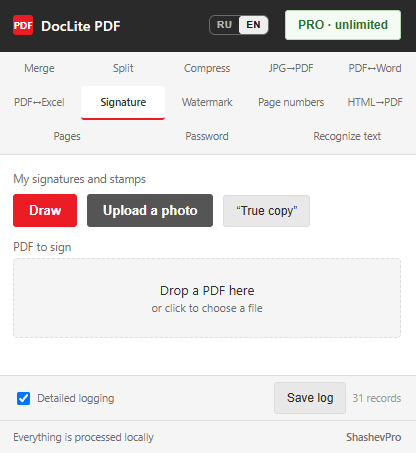
Draw a signature with the mouse or upload a photo of a signature or stamp — a slider removes the light background. A “True copy” certification with position, name and date takes a couple of clicks.
Put several marks on one page — a signature, a stamp and the certification — and repeat them on every page with one click.
PDF password
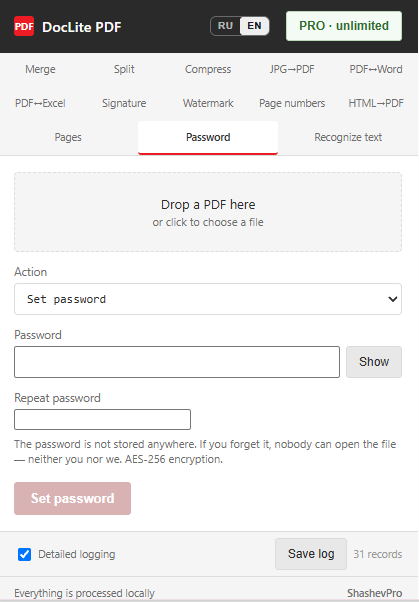
Lock a contract or a passport scan before you email it. AES-256 encryption runs on your computer: neither the file nor the password goes anywhere, and the password is not stored.
A password can only be removed if you know it. If a file opens without a password but carries printing or editing restrictions, those restrictions can be removed without one.
Text recognition (OCR)
A scan or a photo of a document becomes a PDF with a text layer — one you can search and copy text from — or goes straight into Word. Russian and English, automatic page-rotation detection, and a garbage filter that strips stray characters picked up from patterns and stamps. Large files are recognized in the background — you can close the window.
“Precise recognition” is for small print and poor scans: about 2.5 times slower, but it finds more words (95.6% versus 90.5% on our test book page).
Recognition needs language models — about 4 MB per language, about 15 MB for precise mode. The extension downloads them once, when you ask for it, and keeps them in your browser. After that, recognition runs entirely on your machine, offline, just like every other tool.
Your documents are never uploaded
Most online converters take your file onto their server. For a contract, a scanned passport or a financial report, that is not always acceptable.
DocLite works inside your browser, on your own machine. The file never leaves your computer — the extension does not even need an internet connection to merge or convert a PDF. Only two kinds of requests go out to the network: the licence check when you buy PRO, and — once, only if you turn OCR on yourself — downloading the language models (about 4 MB per language, about 15 MB in precise mode; after that recognition runs offline). Your document content is never part of either request. PDF passwords are also added and removed on your own computer.
Getting started
Install the extensionOpen in the Chrome Web Store — one click to install.
Try it for freeThree operations a day, any tools you like — enough to tell whether it fits your work.
Remove the limitIf you use it regularly, pay 300 ₽ once and the daily limit is gone for good.
Pricing
Free
- All tools, including new ones, none held back
- Three operations a day in total
- The counter resets every day
- A failed operation does not use up an attempt
PRO
- No limit on the number of operations
- Paid once, no subscription
- Lifetime licence for one device
- The key arrives right after payment
Payment by card or SBP; a fiscal receipt is emailed to you. Prices are in Russian roubles — roughly 3 US dollars. By purchasing you accept the terms of the offer.
Your plan is always in view
The badge in the corner shows how many operations you have left today. No surprise blocks in the middle of your work, and no tools locked behind the paywall: the free mode gives you exactly what PRO gives you.
The activation key goes into the same window — the extension verifies it once and then works offline.